
When We will to try remove macro, error occurred.
Many followers and friends told me for this solutions.
There are following steps for that

Step-1: First of all open excel sheet that remove macro.
Step-2: Press ALT+F12.
Step-3: When You will press above key, Open VB Project.
Step-4: Expand VBAProject located in Left Pane.
Step-5: Expand Modules.
Step-6: Right click on Modules.
Step-7: Removed Module1.
Step-8: Click on Yes button.
Step-9: Click on Save button and close projects.
Step-10: Then checked it.
Note: If You will want to more information, Please mail me on "info@itsolution4u.in"
Many followers and friends told me for this solutions.
There are following steps for that
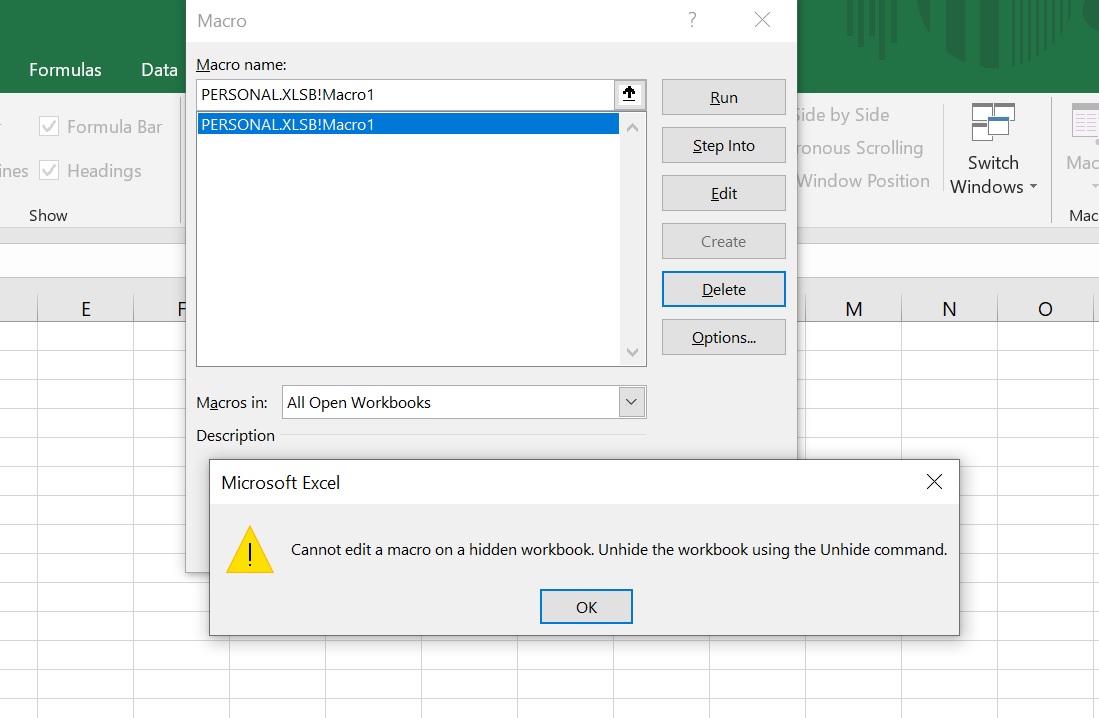
Step-1: First of all open excel sheet that remove macro.
Step-2: Press ALT+F12.
Step-3: When You will press above key, Open VB Project.
Step-4: Expand VBAProject located in Left Pane.
Step-5: Expand Modules.
Step-6: Right click on Modules.
Step-7: Removed Module1.
Step-8: Click on Yes button.
Step-9: Click on Save button and close projects.
Step-10: Then checked it.
Note: If You will want to more information, Please mail me on "info@itsolution4u.in"